• About

LIVEdigitally

Author Archives: Jonas Review Editor

Hard Drives For Cars

Posted on July 26, 2005 by Jonas Review Editor

Well, with our cars having more and more electronics, it’s just a matter of time that we need more storage space. Will AAA come and swap a hard drive for you in the not too distant future? Seagate is trying to meet the need.

The EE25 Series disc drive is Seagate’s first drive designed specifically to meet the needs of the global automotive industry and other “extreme environment” applications. EE25 Series is targeted at automobile OEMs and their system manufacturers as well as to ruggedized mobile computing and industrial PC applications. High capacity 20 and 40 GB capacity points will deliver massive storage for bringing DVD-free GPS and high-quality AV entertainment services to the car. Most importantly, the EE25 Series will provide the industry’s most extreme environmental robustness to enable the continued transformation of the car into an extension of the terabyte lifestyle.

Posted in General | 1 Comment |

MP3 Player At the Top

Posted on July 22, 2005 by Jonas Review Editor

When I think of Alaska, I think of cold and rugged. Mt McKinley is the tallest mountain in the USA. While MP3’s don’t come to mind, a player did make the journey to the summit. How’s that for durability testing?

In a sport that requires 60-pound backpacks, climbers need to be highly selective in the gear they take. For Mousseau’s 14-day odyssey last month to the 20,320-foot summit of the mountain, he brought the SanDisk 512-megabyte (MB)* player, which weighs just over 1 ounce, and three AAA batteries. Now, based on reactions from his teammates, the solid-state, flash-based player is likely to become standard equipment for their future climbs.

Who knew that an MP3 player would become standard climbing gear?

Posted in General | Leave a comment |

Belkin External Drive Enclosure: Reviewed

Posted on July 20, 2005 by Jonas Review Editor


Introduction
I am most definitely the “digital packrat” when it comes to computer hardware. I am never able to part with a piece of hardware, which still works, with the justification of “Hey, you never know.” A case in point: I keep an entire computer system around just to house one optical drive. The drive is Plextor’s famous 12 x 10 x 32 CD rewriter (the 1st one with buffer underrun technology). I am still attached to this drive (perhaps the $250 price tag has something to do with it), as more than once in the past, when other drives failed; the Plextor came through for me. Unfortunately, I do not have room for it in any of my more “modern” systems. So it sits installed in a 1997 Compaq Presario taking up precious space. Honestly, I haven’t had to power up the Compaq in at least two years (maybe more), but that is beside the point, hey you never know when you’ll need it ready to go. 

The Belkin External Drive Enclosure is designed for folks with just this type of need. With it, you can convert an internal optical drive, or a hard drive to work across a USB 2.0 or Firewire connection. This should enable me to put my older system curbside, while retaining the functionality of the Plextor CD rewritable drive. I have a collection of optical drives and hard drives that would be great to be able to access, yet currently have no room for them in my current systems. Let’s see if Belkin’s External Drive Enclosure can come to the rescue.

What’s In The Box Continue reading →

Posted in Gadgets, General, LD Approved, Product Reviews | 3 Comments |

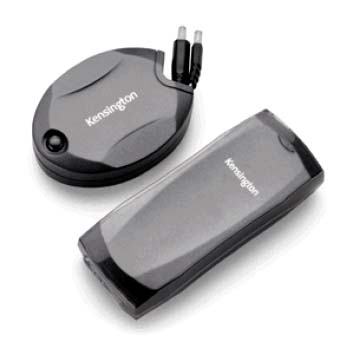
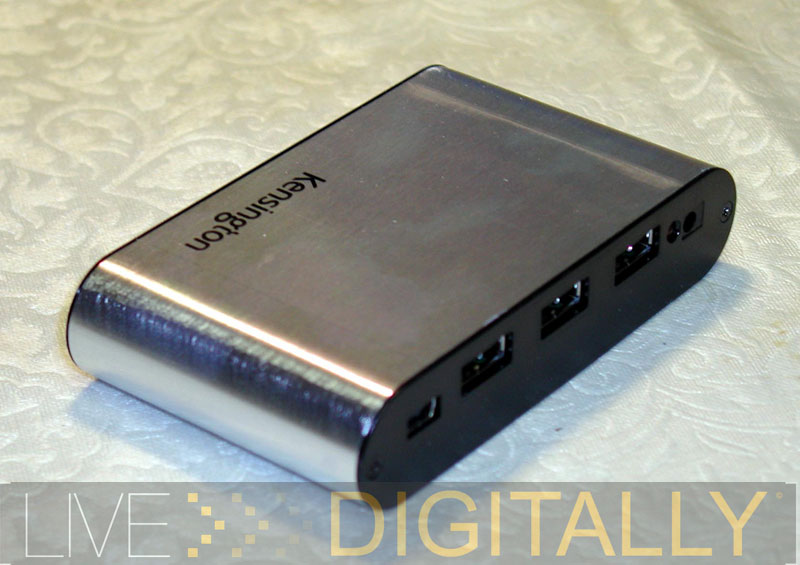
Kensington’s Universal Laptop Power Supply:

Posted on July 6, 2005 by Jonas Review Editor

Introduction

For many of us our notebook is our main computer, or even our only computer. We explored this a few months back. Notebook sales have exceeded desktop sales for the last year or so, and the trend is likely to continue. The main attraction of a notebook is portability in a reasonably sized form factor (although those 10 pound behemoths stretch the definition of “portable”). With the need (real or perceived) to be connected all the time to our email accounts, blogs, and the entire World Wide Web, it’s no wonder that we can’t seem to leave our notebooks at home anymore. Heck, even hotels on the beach in Hawaii offer WiFi access!

For the advanced notebook user on the go, more than just the notebook always travels. A bag stuffed full of accessories also comes along (incidentally, ever notice that the smaller the notebook, the more accessories the guy or gal seems to have with them? It makes me wonder if they should just buy the larger, better featured notebook to begin with). The other essential component, for anything further than the backyard, is the power supply and its cords. Sure, we’ve been promised an eight hour battery life with a miserly processor that sips electrons one at a time. The reality is that the computers we tote along have only a two to three hour battery life, with everything brand new. Using the wireless capability diminishes the untethered time even faster. To finish watching that DVD of “The Aviator” (2 hours and 50 minutes without the special features), you better not forget the power supply and cord. Continue reading →

Posted in Gadgets, General, Product Reviews | 1 Comment |

SanDisk Sansa e130: The Micro Version of the iPod Mini

Posted on June 27, 2005 by Jonas Review Editor

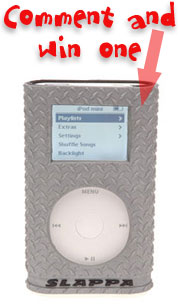
This week’s contest post is here! Leave a comment at the end of this post for a chance to win one of the new Slappa Shockshell iPod Mini cases! Tell us what you think of the review or how you’d use the SanDisk Sansa MP3 player.

Introduction
sansadisplay800Today, we’ll be looking at the latest entry from SanDisk, a leading memory card manufacturer. SanDisk’s last MP3 player was at one point the #1 selling non-Apple player, yet had only a single digit percentage of the market share. The new Sansa is currently available in both a 512 MB version as the e130, and a 1 GB version, sold as the e140. SanDisk’s Sansa is a far better than Apple’s iPod Shuffle, as a flash mp3 player. We’ll discover what distinguishes this player from its competitors, and why it should be on your shopping list. This is not the first player we’re reviewing here at Live Digitally. You can read here about our standard methods of testing used for music players. Sandisk’s player was tested with firmware 1.0.000 as it was recently introduced only last month. Testing was undertaken with both Duracell disposable alkaline batteries and Energizer NIMH rechargeable cells.

What’s In The Box

  • sansaboxcontents800SanDisk Sansa unit, 512 MB
  • ear bud headphones with small, medium, and large earbuds
  • clear plastic carrying case
  • arm band
  • USB adapter
  • software on mini CD
  • quick start guide
  • AAA battery, alkaline

Features & Performance Continue reading →

Posted in General, LD Approved, Product Reviews | 472 Comments |

A Tale of Two USB 2.0 Flash Drives

Posted on June 20, 2005 by Jonas Review Editor

Introduction


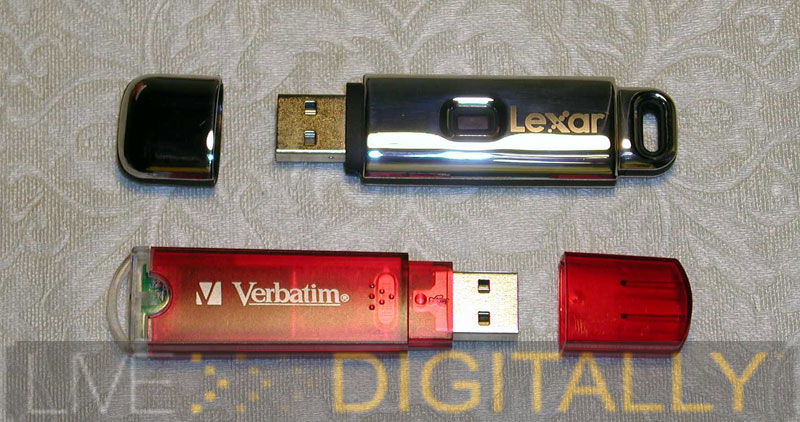
With today’s busy, digital lifestyle USB flash drives are a necessity. I find myself constantly shuttling information between home and work. At each location, my data is transferred from one computer to the next. To be sure, there are more elegant, sophisticated solutions: Bluetooth, Ethernet, and WiFi networks come readily to mind. But for quick and easy, with no setup involved, it’s hard to beat the good ol’ “sneakernet.” This term was originally used for moving files from one machine to another using floppy discs (and Nike’s). USB flash drives have pretty much replaced floppy discs as well as the larger Zip discs for almost all users, due to their larger capacity, diminutive size, and affordable cost. In fact, 7.6 million of these units were sold in 2004, and even more growth is expected over the next few years. See where USB flash drives fit into the world of flash memory here.

Verbatim Store ‘n’ Go 512 MB

With that background in mind, let’s first look at the Verbatim Store ‘n’ Go USB 2.0 flash drive – 512 MB. Included in the package was the following:
-the USB flash drive
-lanyard
-miniCD with drivers, and password program
-stickers for labeling the drive
-instructions
This package can be yours for a mere $59 retail! Look around, these drives are often sold for less after rebate. The Verbatim flash drive is typical of the standard USB 2.0 flash drives out there today.

The drive itself is a red translucent color, with a clear plastic loop Continue reading →

Posted in Gadgets, General, LD Approved, Product Reviews | 3 Comments |

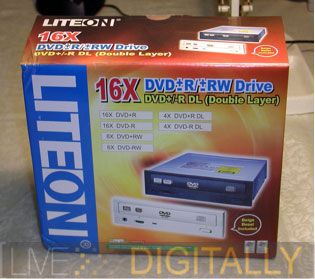
LiteOn 1693S: Does Their Latest Drive Have “The Right Stuff?”

Posted on June 14, 2005 by Jonas Review Editor

Introduction

LiteOn is known in the optical drive community for their lineup of outstanding CD-RW drives that are sold at ridiculously low prices (and I agree, as I own two 52x burners, bought in 2002, and 2003, and still going strong). When LiteOn started making DVD writers they were members of the DVD Alliance, more popularly known as “The Plus Camp,” as they were compatible with DVD+R and DVD+RW media. While they now make writers capable of both “plus” and “minus” writing, they have been generally stronger at the “plus” standard. The LiteOn 1693S is an upgrade to the LiteOn 1673S, and adds support for dual layer DVD-R discs, as well as featuring 16x reading and writing of DVD discs. These DVD-R dual layer discs are the latest discs available and feature two layers superimposed on top of each other; the laser adjusts its strength to write to the near or far layer. These discs are much more expensive to produce, and more difficult to write, but feature double the capacity of single layer discs. Most DVD Videos that you rent at Blockbuster are dual layer discs (although pressed, not created with a laser). The drive is also capable of handling CDs as well, so it can replace a CD writer in your system.

While LiteOn drives are popular worldwide, in the US they are often rebranded by Sony, for example, this LiteOn 1693S drive is also sold as the Sony DRU-800A. By purchasing the LiteOn, the astute shopper saves money, and owns the same hardware as the Sony version. Let’s take a close look at this drive’s many features. Continue reading →

Posted in Gadgets, General, LD Approved, Product Reviews | 21 Comments |

Seagate 5 GB Pocket Drive

Posted on June 9, 2005 by Jonas Review Editor


LIVEdigitally is giving away a Slappa iPod Mini Shockshell case each week. In order to win one you must leave a comment on the post labeled “contest post”. This week our contest post is this post!
[ Seagate 5 GB Pocket Drive Review by Jonas, Review Editor]. Leave a comment telling us what you’d use the Seagate 5GB drive for and you’re eligible to win a nifty Slappa iPod Mini case!


Introduction

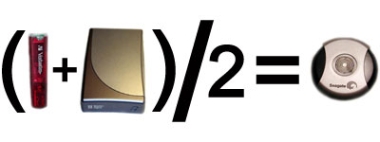
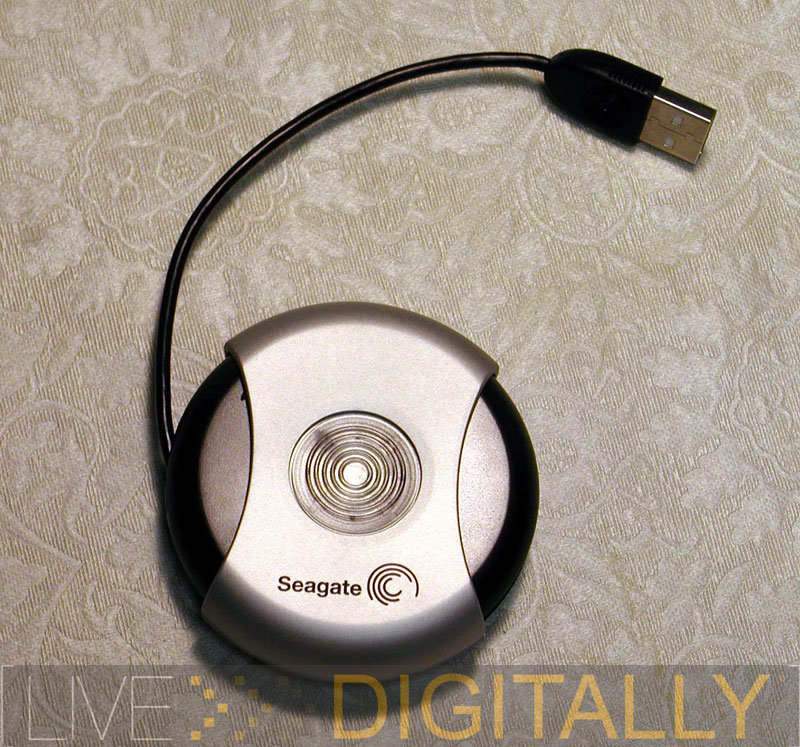
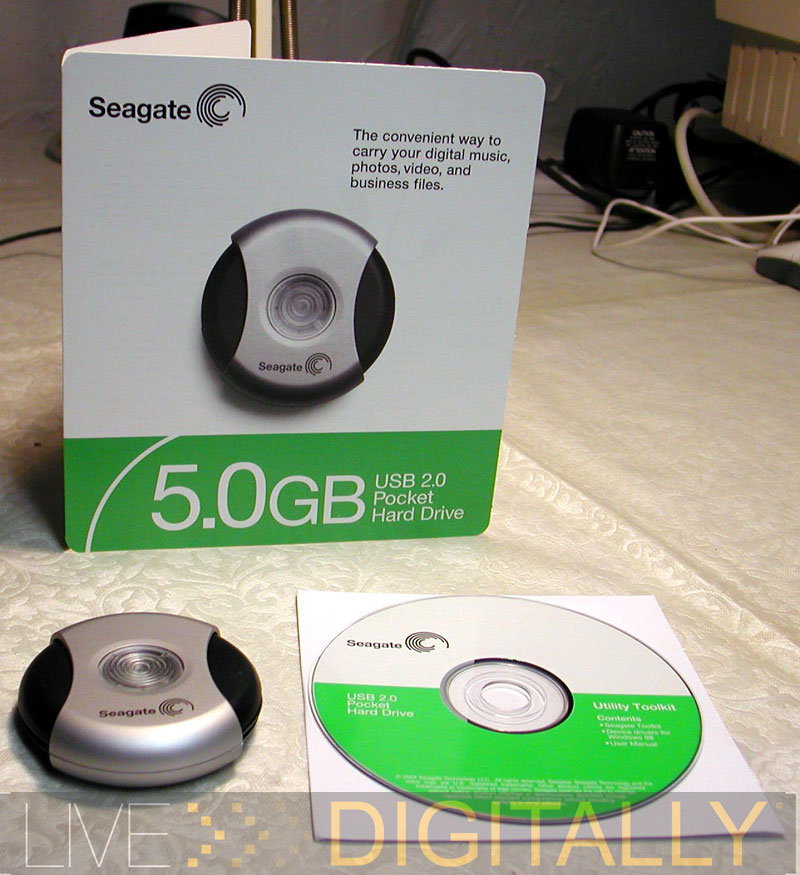
Seagate Technology is a leading manufacturer of hard drives in computers. For their 5 GB Pocket Drive, they decided to cross an external hard drive with those ever-popular USB flash drives, creating a product that addresses an emerging niche. The Seagate Pocket Drive is slightly smaller than a hockey puck and fits quite nicely in a shirt pocket. It is currently available in both 2.5 ($115) and 5 GB ($140) sizes. Similar drives with a 2 GB capacity sell for $200 and up, making the Seagate Pocket Drive a cost-effective option. While there have been portable USB hard drives before, they have been considerably larger. I believe this Seagate drive will be the first of a new product category of portable micro hard drive storage devices.

What’s In The Box

-Seagate 5 GB Pocket Drive
2 7/8” diameter, ¾” high
-Pocket Hard Drive Toolkit software
-Owner’s manual in PDF on the CD

Function: Hardware

The Seagate Pocket Drive is truly made to fit into a shirt pocket. It has a modern design, with black and silver plastic complemented by a blue LED. The LED acts as the hard drive activity light to indicate Continue reading →

Posted in General, Product Reviews | 29 Comments |

Two 15 in 1 Flash Card Readers

Posted on June 7, 2005 by Jonas Review Editor

Introduction

When working around the house, you can’t beat the trusty adjustable wrench to loosen a wide variety of nuts and bolts. A good wrench replaces a whole toolbox of metric and standard wrenches, both open ended, and closed. There is an ever increasing myriad of devices using all sorts of flash cards. In fact, I wrote an article just on flash cards a few months back. With so many different cards used in MP3 players, digital cameras, PDA’s, and now even cell phones, clearly a better tool is needed to deal with the chaos and clutter of so many wires, adaptors, and single card readers. (Note to manufacturers: While it may be profitable, there is truly NO need for at least the next decade to introduce any more memory card formats!)

Enter the 15 in 1 flash card reader. Today, we’re looking at two versions of the device, one from Belkin, and the other from Kensington. They both promise to be the trusty combo wrench of flash cards- and with the piles of cards and wires around, I could definitely use it. Let’s see how each accomplishes its mission.

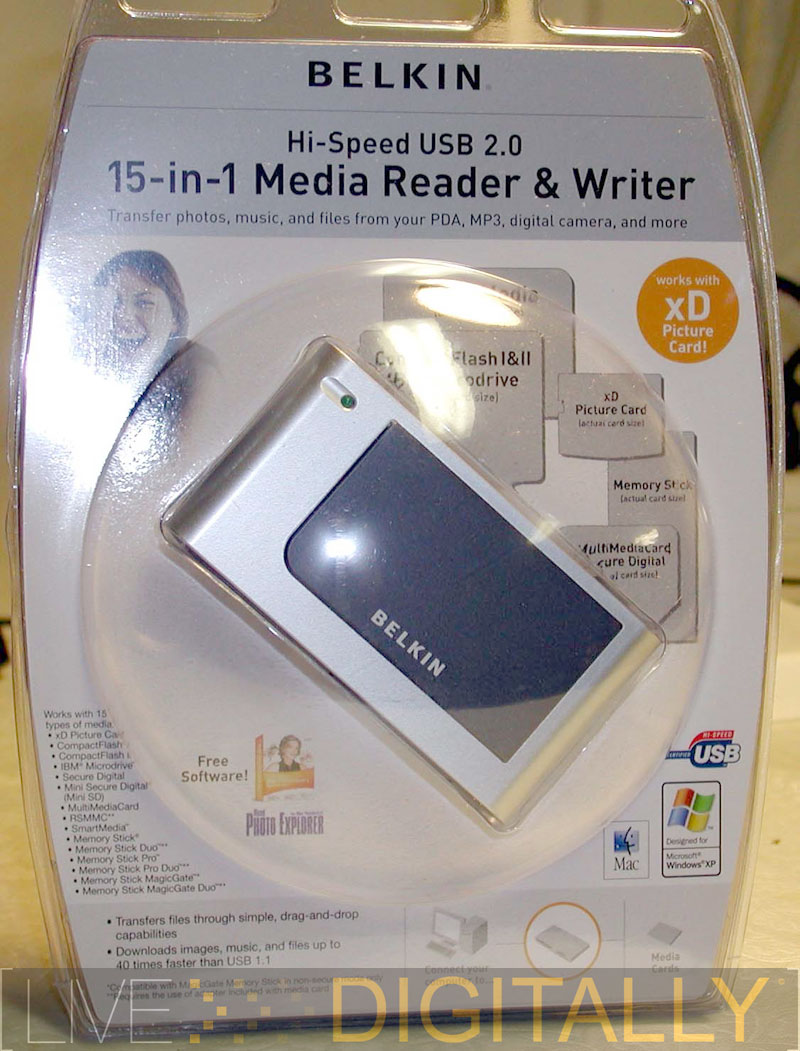
Belkin 15-in-1 Media Reader & Writer

Introduction

First we look at Belkin’s 15-in-1 Media Reader & Writer. I’ve heard of multiformat writers before, but this device is truly the combination wrench of flash cards. Belkin makes my single media card type (CF) reader rather obsolete in an oh so 90’s kind of way. The Belkin 15-in-1 can read and write just about every media card on the market today. It is also a USB 2.0 device, which is an advantage. While internal flash card readers are manufactured, in my opinion, it is a waste to use a precious drive bay for a peripheral that functions so well using USB. Also, we can use the Belkin 15-in-1 Writer across multiple computers with the plug and play ease that USB provides.

What’s In The Box Continue reading →

Posted in Gadgets, General, Product Reviews | 4 Comments |

Lexar LDP-600

Posted on May 10, 2005 by Jonas Review Editor

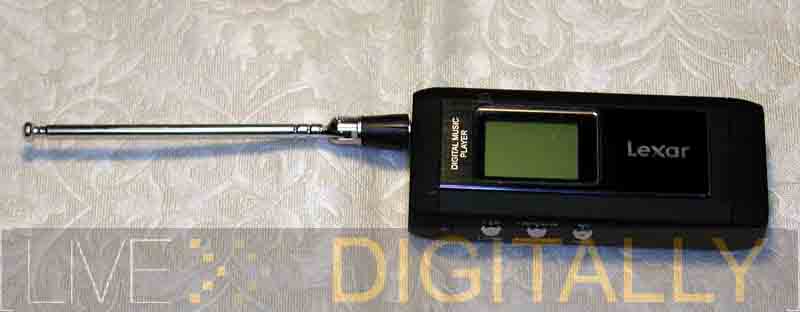
Lexar’s LDP-600 is another fuller featured portable flash based music player. Lexar has traditionally made flash memory chips (see this for a comprehensive review), but recently they have branched out into making flash based music players. For the evaluation, I reviewed the 512 MB model, there is also a 256 MB available. They retail at $149 and $199 respectively.

What’s In The Box

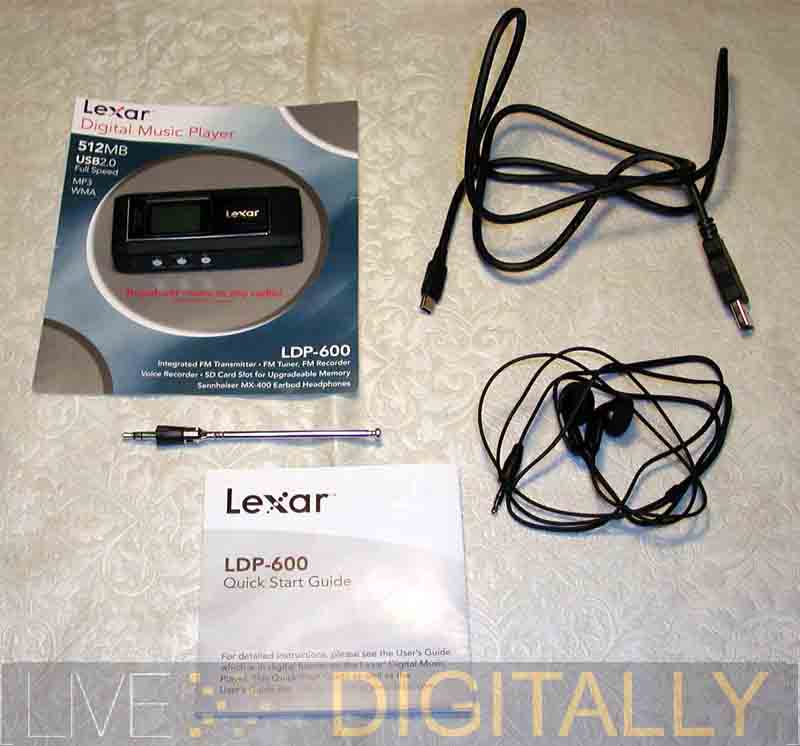
The 512 MB Lexar LDP-600 included the following:
-black music player
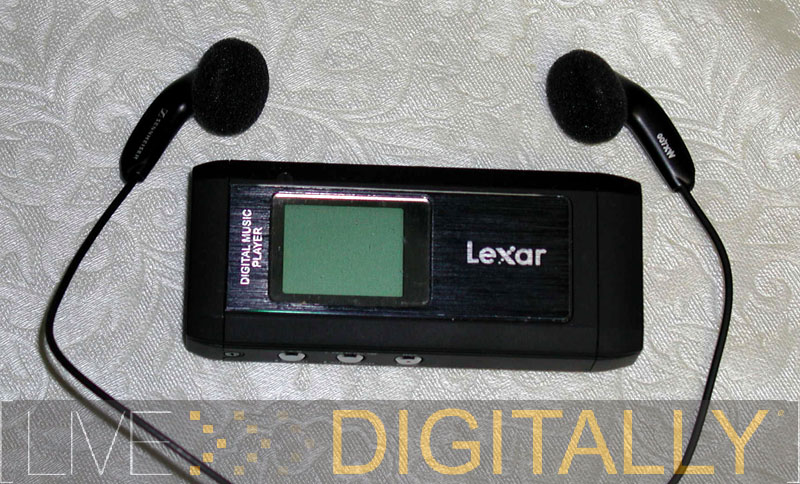
-Sennheiser ear buds
-quick start pamphlet (full manual on website as PDF)
-USB connector cable
-lanyard
-antenna
-the lithium ion battery is preinstalled
-clear carrying case
I used a 128 MB Secure Digital flash card during the course of my testing of the device.

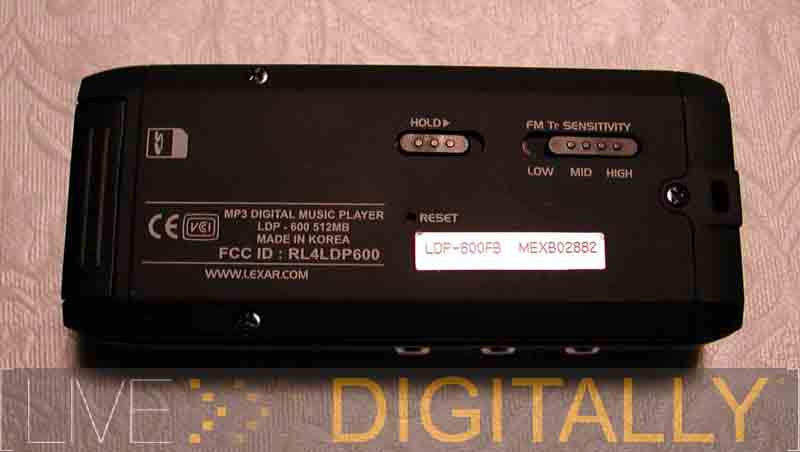
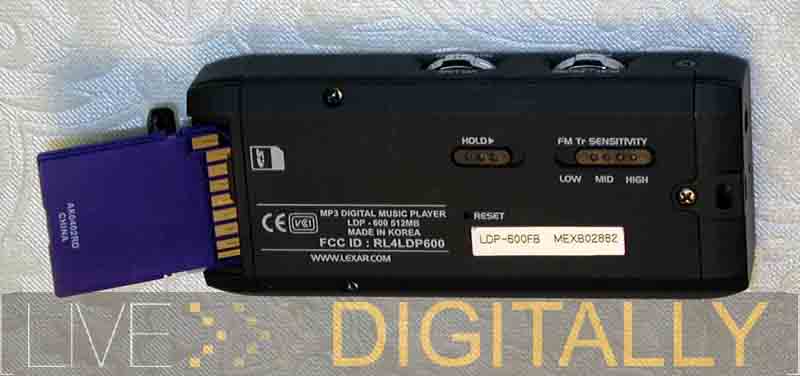
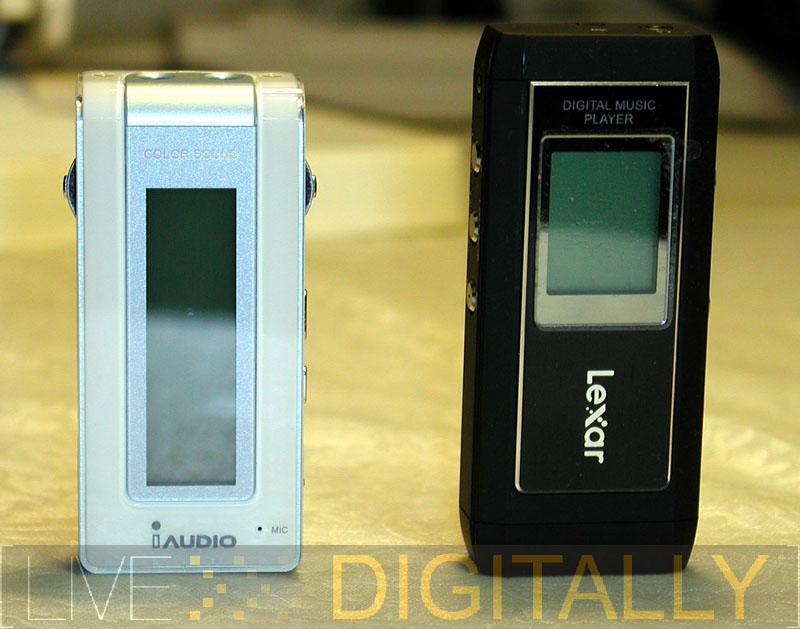
The unit itself is a mere 3.2 by 1.5 by 0.7 inches. This makes it slightly larger than the iAudio 5, but still quite small. I can put in my shirt pocket all day and not even notice it. The LDP-600 is made of a matte black rubberized plastic and is accented with silver switches and buttons. The top of the unit has the headphone jack, the microphone, and the slot to attach the necklace. The right side has two toggle switches for on/off, play/pause, advancing tracks, volume control, and menu navigation. The left side has three buttons for controlling the recording, the FM transmitter, and toggling into FM radio mode. The back has a recessed switch for adjusting the FM transmitter strength, a recessed hold switch, and a reset pinhole (like on a Palm handheld) is there as well. The bottom of the unit has the connector for the USB cable and the slot for a Secure Digital card. Again, both were covered in rubber and attached to the unit to prevent loss. I found the switches and buttons slightly larger than on the iAudio 5. They also felt significantly more refined and solid; like a Lexus on the Lexar, versus a Hyundai on the iAudio 5.

Features In Use

The Lexar LDP-600 is powered by an included lithium ion battery. It is claimed to provide a 14 hour battery life. I think it is closer to 12 hours in actual use. It is great to have an included, rechargeable battery for obvious reasons. However, there are a few downsides. When the battery won’t take a charge anymore, be prepared to throw the whole thing out as I doubt it can be swapped out and replaced (this may be a good reason to buy that extended and overpriced warranty). This limits the long term usefulness of such a device. Also, the only way to charge the Lexar unit is through the USB port, there is no way to charge this from a wall outlet or a car power source. If you take this as your music player on that cross country road trip, than you better bring your laptop as well, or you’ll be dead on music once you get 14 hours away from home. And you don’t buy an MP3 player to listen to sing-a-longs so plan accordingly.

The music formats played by the player are limited to MP3 and WMA music files. It is not specified in the manual what bit rates playback is limited to. The LDP-600 records into WMA format, with the choices of 32 kbps (mono), 64 kbps, or 96 kbps (stereo).

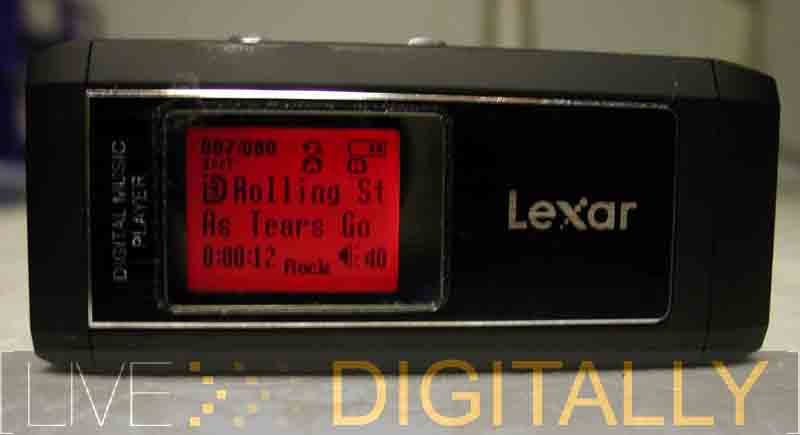
The display is large enough and readable, although with a slightly pixelated appearance. The largest two lines show artist, and track name information. Above it shows the track number, the play triangle, whether internal or external memory is being used, and a battery life meter. The bottom shows time information, the bass boost, and the volume level. The display is illuminated with a choice of colors, including violet, yellow, white, blue, green, indigo, and red. Unfortunately, only yellow, white and red are really bright enough to be useful, the rest are rather dim even viewed in total darkness. I was a little disappointed to see that white appears very yellow. The iAudio 5 clearly has a better display with the colors much brighter and richer. Even with the duller colors, the Lexar unit was more readable while on the run or in the car, because the text is larger and darker.

The player boots quickly, and turns off quickly which means you can hear your music with minimal delay. Files can be deleted and playlists up to 20 songs can be created from the unit itself, without using a computer. The menu system is somewhat complex, and requires a steep learning curve. I referred to the PDF documentation (which comes preloaded on the device) several times during testing and had to follow the complex key sequences line by line to accomplish some tasks. Aside from play and volume control, everything else is buried in menus. An example: changing the background color is under the category “system,” and under the designation “light source.” These types of things are not intuitively obvious to most users.

The LDP-600 also has a built in FM tuner that can be programmed with presets, and has a seek feature for use in unfamiliar locations. Like the iAudio 5, it is tuned in 0.1 increments. This can be annoying if you don’t leave the States, or can be a nice plus for international travelers. Like most personal FM radios, the headphone cable doubles as an antenna. The reception was adequate, but not spectacular equivalent to a Sony Walkman. The FM radio does keep users from running out of music during their airport layover so it is a nice feature to have.

Leave it to a memory company like Lexar to build an MP3 player with removable storage. In my mind this is a stand-out feature. The player supports Secure Digital cards up to a capacity of 1 GB. I am of the opinion that Secure Digital cards are the new dominant flash card, and this is an example of why. (LINK TO FLASH MEMORY PIECE) This allows the player to expand its memory using inexpensive and reusable cards. When the player is connected via USB to a computer it shows up as 2 drives: one for the internal memory, and the other for the SD card. Unfortunately, you need to go into the menus to switch between the 2 memories, not something you should do while cruising down the interstate. Also, there is no way to have it play from both the internal memory and SD card as one large collection. These shortcomings almost overshadow this otherwise exemplary feature. A dedicated switch to access the two memories would go a long way to remedying this deficit. One more annoying quirk: after listening to music on the SD card, and turning off the player, it reverts to the internal memory when rebooted.

One other significant shortcoming is the USB 1.1 interface. This is rather outdated, and really slows the loading of songs down. The bottleneck speed took over five minutes to load 53 MP3s. To fully load the player takes over 20 minutes, and that is just for the internal memory. Most current players utilize the faster USB 2.0 connection, which is at least four times faster. I believe the newer players from Lexar will use the faster connection. In the meantime, a possible work around (for inpatient users) is to load a permanent set of songs to the internal memory, and a rotating set to the SD card via a dedicated flash card writer thereby bypassing the player. One bonus feature is that the player can be used as a SD flash card reader/writer which makes it easy to justify a place in your notebook bag with the cable.

The other notable feature of the player is the FM transmitter. The package includes a short antenna that is placed into the headphone jack. The player then can transmit over the FM radio band on a frequency of the user’s choosing (although finding an unused band in metro areas can be a challenge). The headphones can also be used as a transmitter, but my results were definitely better with the antenna. I could transmit music to a Sony boombox from as far as 10 feet away. Also, in a car with no cassette player the results were equally good. The sound is as good as any other FM radio station, less than CD quality, but still quite good. This FM transmitting feature injects new life into old radios. It takes MP3 listening from a solitary experience through headphones, and makes it social through a set of speakers. Sure, there are accessories that can do the same thing, but having it built in is very convenient. Show up at your next party with the Lexar loaded with music, and you’ll get to be the DJ with your own radio station!

The recording was similar to the iAudio 5. It was more than adequate for voice into the microphone, and barely adequate for TV across the room. You can record from the FM radio, but there is no line-in jack to record from other sources.

Posted in General, Product Reviews | 3 Comments |

Two Feature Rich Flash Music Players

Posted on May 10, 2005 by Jonas Review Editor

Apple dominates hard drive based music players with the iPod. ‘iPod’ is the “brand-category” for portable music, just as Kleenex is to tissues, and Xerox to photocopies (editor’s note: my all time favorite “brand-category” is the Escalator, once a private company!). Apple is also cruising in the more recent mini-hard drive category, with the iPod Mini and its 6 GB capacity. With the most recent introduction of their iPod Shuffle, they are seriously taking on the flash memory segment of the portable MP3 player market. Even as hard drive units become more affordable, there are some advantages to flash based players despite their smaller capacities, for example:
-they are less expensive
-no skipping with vigorous activity or exercise
-standard battery in some cases
-smaller form factor
-much less sensitivity to temperature, vibratory, or magnetic variations

The flash player segment is a relatively crowded market, with many products, from a variety of manufacturers. Apple’s offering is the minimalistic iPod Shuffle, with no display and a minimal feature set. The iPod Shuffle has no FM radio, plays only MP3 and AAC files, and has no recording capability. Other companies are building feature rich electronic, all in one, “Leatherman” audio devices. I had the opportunity to test two of the latest feature-rich offerings. They are JetAudio’s iAudio 5, and Lexar’s LDP-600. Both support a variety of music formats, record voice, and have built in FM radios. In direct opposition to the iPod Shuffle, they both have displays with multiple colors. While each does cost more than a Shuffle with the same capacity, let’s see what the extra bucks buy, and if it’s worth it.
Continue reading →

Posted in General, Product Reviews | 2 Comments |

iAudio 5 Player

Posted on May 5, 2005 by Jonas Review Editor

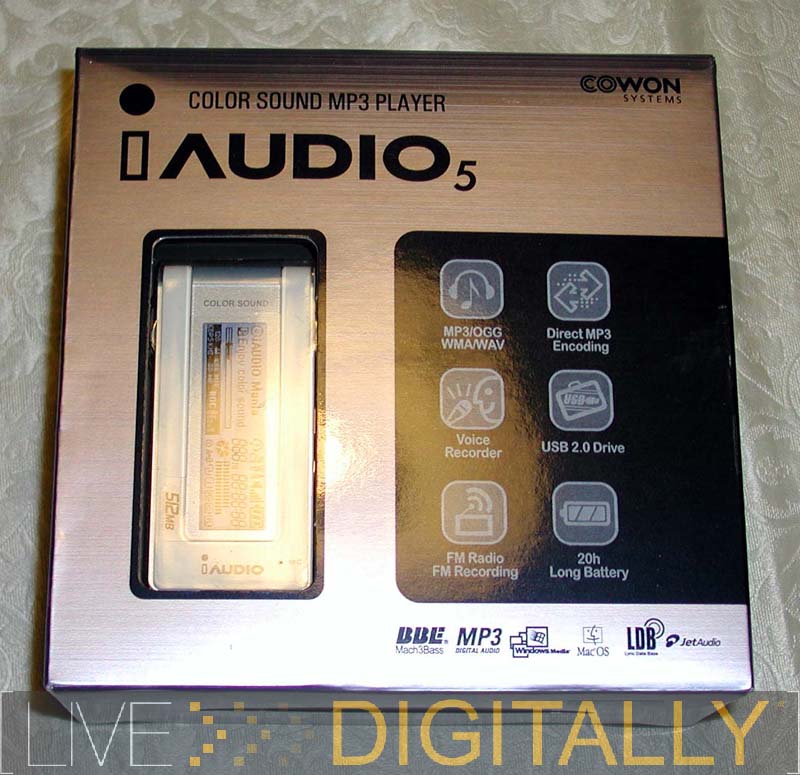
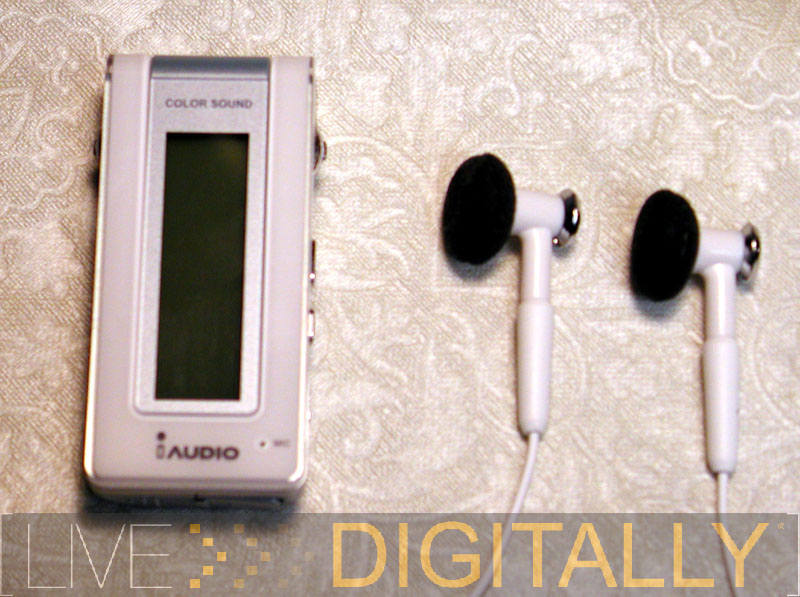
With the above in mind, I first tried the iAudio 5 player. The memory capacity comes in 256 MB, 512 MB, and 1 GB. The unit I evaluated had 512 mb of memory, sported an aqua blue color, and retails for $149. The 256 MB unit is available for $129, and the 1 GB for $169. JetAudio manufactures several different players, and is predominately involved in the flash based music player sector. The blue color refers to the metal on the back of the unit only. JetAudio recently changed their name in America to reflect their parent company in Korea, and are now known as Cowon America.

What’s In The Box

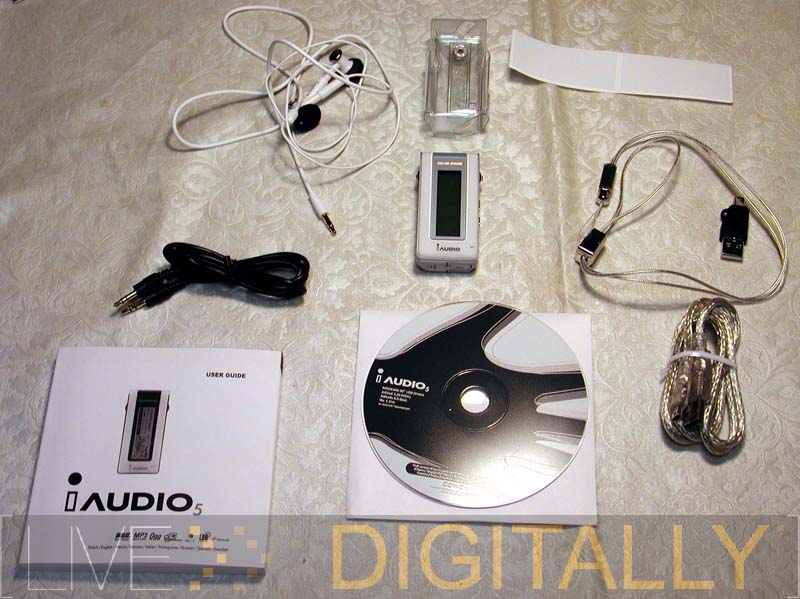
The package includes the following:
-iAudio 5 player
-earphones
-AAA battery (Duracell)
-fashion necklace string
-installation CD
-manual
-clearness carrying case
-simple USB connector
-USB 2.0 cable
-line-in recording cable

The iAudio 5 player itself is attractive and finely crafted. It is small (3.02 x 1.38 x 0.71 inches), and weighs just under an ounce without the battery. The top of the device has line-in and earphone jacks for standard mini RCA audio connections. The bottom has the USB connector with a tethered cover, and the battery door. I award kudos to JetAudio for attaching both, and for making them nearly impossible to lose. The front features the LCD display, microphone, and no buttons. The left side has a toggle switch to control volume, and menus. The right side has the remainder of the controls including another toggle for play, stop, fast forward, rewind, and switches for mode, record, and hold. The mode button toggles between MP3 player, FM radio, voice recorder, and line in recording modes. The hold button locks the device to whatever it is doing. This is useful during active sports to keep the music playing without worrying that a button press will interrupt the tunes.

Features In Use

The unit is powered by a single AAA battery. The manufacturer states that it has a 20 hour life. My testing puts it closer to 12 to 14 hours. It is great to have a device use a standard battery. It means you won’t have to send it back for a $99 battery change like the iPod, and on vacation you don’t have to bring any special charger. You can run it off a NIMH rechargeable battery, and there is even a menu choice to calibrate the device for that type of battery to maximize its life.

The music formats supported are more than most other players, and I commend JetAudio for such broad, open support. First, it plays MP3s from 8 to 320 Kbps, including both constant bit rate and the less common variable bit rate varieties. It also plays WAV files, although with these capacities, I doubt anyone will use this mode (you would not have enough room for one full CD of music). Furthermore, the iAudio 5 plays WMA (Windows Media Audio) files of both constant bit rate (5 to 320 Kbps), and variable bit rate (48 to 256 Kbps). It also supports OGG (Ogg Vorbis) files, up to a quality setting of 10. If the preceding has your head swimming, than the “take home message” is that it will play most standard PC music files. Unfortunately, it does not play AAC (Audio Associated Codec) files which is the format for downloads from the iTunes store (at the time of writing, only iPods support this format). Also, it does not support any lossless format, which while not currently popular, is likely to gain some momentum over time. However, the player still supports more formats than most others currently on the market. The device is firmware upgradeable so there is the possibility of adding support for new formats; however, there was no upgrade available presently for this model on the JetAudio web site, and it was tested using firmware 1.10 which came installed.

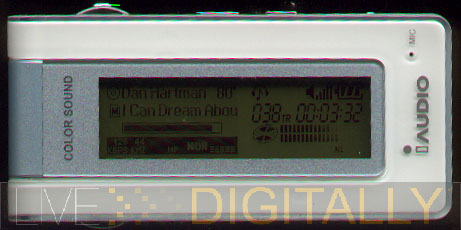
The LCD is a 128 x 64 pixel full graphic display. The standout feature is the color of the display. The display is not an LCD color display, but rather a monochrome LCD that gets illuminated from a series of LEDs that give it a rich color. The display is capable of “thousands of colors;” it is able to do the entire rainbow. You can even custom mix a color and tell the unit to display it for a certain function (FM radio, for example). The display goes dark after a few seconds to save battery life. If looking to impress your friends, then the display can be toggled to on, and a choice of 2 themes chosen. Next thing you know, the colors are changing with the beat. To impress even further, you can load a custom logo for starting up.

The display has more information compacted into an area smaller than the score card in the program at a baseball doubleheader. When the unit is in the case without the backlight on it is very difficult to read the display, unless in direct sunlight. Pressing any button fires up the backlight and allows those without reading glasses to find a wealth of info. The left hand side has a pixel display, and the right side has dedicated displays. The left side shows the name of the track, the album, and group name. In addition, a bar displays progress of the song. It also shows the KHz and kbps numbers. Finally, there is a teeny equalizer with the name of the settings. The right hand side displays the track number, the time into the track numerically, a battery life indicator, a volume indicator, a play mode indicator, and a “spinning” disc, and left and right channel bars. This is more information than most home stereos display in far less space, however I would prefer a little less information, in a larger, more readable, format.

The iAudio 5 connects over a USB 2.0 interface. The unit connects to a “simple USB connector,” and then to the included cable to connect to the computer. The fast read and write speeds are consistent with a 2.0 USB connection. It takes roughly 5 minutes to fill the 512 MB with music (129 MP3s, for the record) and can be done with the unit off. The MP3s can be placed in the music folder on the player; no software is required to be installed on the computer.

The player, while very small and light, still has to be carried somehow. The choices are the included fashion necklace string, or the clear carrying case. The case is designed to allow visibility to the LCD, and to protect the player from moisture. There are cutouts for the controls, and headphone jack. However, with the cutouts, if caught in the rain, the player will get wet while in the case.

The iAudio 5 also includes the ability to record sound via the built in microphone, FM radio, or the line-in jack. For such a compact device this is a lot of power and flexibility. The recordings are stored in WAV or MP3 formats, and get saved into a file on the flash drive. In my tests, I found that voice spoken right in front of the player sounded pretty good, but television from a few feet away could not be heard on playback. Therefore, this is adequate for a quick voice memo, but not for recording a lecture or much else.

The included headphones from iAudio are an earbud design with a white color. They have a strong mid-range sound, but lack high end performance, and low end punch. Unfortunately, MP3s are generally lacking in upper and lower frequencies, and the headphones accentuate these deficits further. Even with the bass boost, and separate Mach 3 Bass, the bass was still anemic with the included earbuds. With the Sony headphones, or the tested speakers, I obtained a fuller frequency response. The iAudio 5 sound system offers more features than any HSN special deal of the day. Additional filters include MP3 enhancer which gives it a fuller, brighter sound. Also, 3D surround sound can be dialed in along 10 incremental settings. Pan to boost left or right channels (rather useless), and play speed settings (equally useless) serve to round out the features. The play speed settings are useless because the pitch is not held constant as in dedicated digital voice units, so voice can be listened to at a faster speed, but still sound like the same voice. If that wasn’t enough post processing, there is a 5 band equalizer with presets for normal, rock, classical, jazz, vocal, and even one user defined. In addition, each of these effects can be applied while listening so you can hear what the effect is doing and optimize it to your listening taste.

The FM radio is a nice added feature when you’re done listening to all your MP3s. It tunes in available stations clearly, and can scan for broadcasting frequencies (in 0.1 increments, although in the US the stations go by 0.2 and end in all-odd numbers). In addition you can record directly off the radio to the internal flash memory for that song you want to hear again and again.

http://www.livedigitally.com/wp-content/iaudiophoneBIG.jpg” target=”_new”>Indeed, any device that is so small, with so many features can only achieve this with some trade-offs.  The iAudio 5 is no exception.  For starters, there are too many ways to boost the bass: through the equalizer, the BBE, and the Mach 3 Bass. At least one could be eliminated to simplify adjustments.  The manual does not explain many of the features and only has 20 pages in each language and left me wanting for more.  There is a learning curve to navigating around comfortably using the two toggle switches, but I was comfortable after about 2 days.  The buttons are on the smaller side, and users with larger fingers may have some difficulty.  Speaking of smaller, the info on the display is very small as well.  I was frustrated that I could not build playlists from the device.  Also, there is no removable storage slot to expand the memory so I recommend you buy the larger 512 MB or 1 GB model.  The player takes several seconds to start up, or shut down, which delays the start of the music.  Audiophiles (as with just about all players they buy) will want to upgrade the headphones to a better model.
Conclusion
 The iAudio 5 is a very stylish music player, with enough features to keep even advanced users satisfied for some time.  The colorful display is clearly the standout feature.  The use of a common AAA battery for power minimizes down time.  The FM tuner means you never run out of new music during long layovers at the airport.  The variety of recording modes and options extends the possibilities and usefulness of the device to a variety of applications.  The number of supported file formats for playback complements these options.  I envision this device for the young executive who likes to exercise with music, and travel without being weighed down with a heavier device.  With all these possibilities, I’m sure they’ll find something worth listening to.  For the extra dough, you can have something that is far more exclusive and feature rich than just another iPod Shuffle.  When your friends see the multiple color display they’ll know why you chose the iAudio 5 and will be envious.
Strengths
-standard AAA battery

-broad file format support (MP3, wav, ogg, and WMA)

-microphone and line in recording

-color display

-FM radio that can be recorded from

-fast transfer times

-very light and compact

-accessories included: case and necklace

-equalizer and bass boost

-MP3 enhancer enriches sound
Weaknesses
-small text size on display

-battery life shorter than claimed

-no AAC file support

-microphone can only record nearby voice

-ear buds merely adequate, lack bass

-small buttons and switches

-manual doesn’t explain many features, too short

-no removable storage option

-several seconds to start up and shut down

-no way to enable back light to see name of song only

Posted in General, Product Reviews | 1 Comment |
« Previous Page
Next Page »

About

Jeremy Toeman is a seasoned Product leader with over 20 years experience in the convergence of digital media, mobile entertainment, social entertainment, smart TV and consumer technology. Prior ventures and projects include CNET, Viggle/Dijit/Nextguide, Sling Media, VUDU, Clicker, DivX, Rovi, Mediabolic, Boxee, and many other consumer technology companies. This blog represents his personal opinion and outlook on things.

Recent Posts

  • Back on the wagon/horse?
  • 11 Tips for Startups Pitching Big Companies
  • CES 2016: A New Role
  • Everything I Learned (So Far) Working For a Huge Company
  • And I’m Back…

Archives

Pages

  • About

Archives

  • January 2019
  • April 2016
  • January 2016
  • December 2015
  • June 2015
  • May 2015
  • April 2015
  • March 2015
  • February 2015
  • January 2015
  • December 2014
  • November 2014
  • October 2014
  • September 2014
  • August 2014
  • June 2014
  • May 2014
  • April 2014
  • March 2014
  • January 2014
  • December 2013
  • September 2013
  • August 2013
  • July 2013
  • May 2013
  • February 2013
  • January 2013
  • December 2012
  • October 2012
  • September 2012
  • August 2012
  • May 2012
  • April 2012
  • March 2012
  • February 2012
  • January 2012
  • December 2011
  • November 2011
  • October 2011
  • September 2011
  • August 2011
  • June 2011
  • March 2011
  • February 2011
  • January 2011
  • December 2010
  • November 2010
  • October 2010
  • September 2010
  • August 2010
  • July 2010
  • June 2010
  • May 2010
  • April 2010
  • March 2010
  • February 2010
  • January 2010
  • December 2009
  • October 2009
  • September 2009
  • August 2009
  • July 2009
  • June 2009
  • May 2009
  • April 2009
  • March 2009
  • February 2009
  • January 2009
  • December 2008
  • November 2008
  • October 2008
  • September 2008
  • August 2008
  • July 2008
  • June 2008
  • May 2008
  • April 2008
  • March 2008
  • February 2008
  • January 2008
  • December 2007
  • November 2007
  • October 2007
  • September 2007
  • August 2007
  • July 2007
  • June 2007
  • May 2007
  • April 2007
  • March 2007
  • February 2007
  • January 2007
  • December 2006
  • November 2006
  • October 2006
  • September 2006
  • August 2006
  • July 2006
  • June 2006
  • May 2006
  • April 2006
  • March 2006
  • February 2006
  • January 2006
  • December 2005
  • November 2005
  • October 2005
  • September 2005
  • August 2005
  • July 2005
  • June 2005
  • May 2005
  • April 2005
  • March 2005
  • February 2005
  • January 2005
  • December 2004
  • November 2004
  • October 2004
  • September 2004

Categories

  • Convergence (81)
  • Gadgets (144)
  • Gaming (19)
  • General (999)
  • Guides (35)
  • LD Approved (72)
  • Marketing (23)
  • Mobile Technology (111)
  • Networking (22)
  • No/Low-tech (64)
  • Product Announcements (85)
  • Product Reviews (109)
  • That's Janky (93)
  • Travel (29)
  • Video/Music/Media (115)
  • Web/Internet (103)

WordPress

  • Log in
  • WordPress

CyberChimps WordPress Themes

© LIVEdigitally