The USB flash drive is THE drive of choice for users on the move with their small to medium sized files. After all, this is the most convenient way to stick data in your pocket, and floppies are so 90’s. Today, we have the opportunity to test the 1 GB version of the Crucial Gizmo! drive which is available on their website for $85.99. The drive is available in 128 MB, 256 MB, 512 MG, 1 GB, and 2 GB capacities. Crucial is a memory manufacturer which is best known for their RAM, but also has a full flash memory card line up, and assorted other memory related products, as well as videocards. By purchasing directly from the manufacturer, you bypass the middleman, and keep the cost down. Let’s look at how this drive performs. Continue reading
Category Archives: Product Reviews
Review of Solitude noise-canceling headset
When I received an email titled “Solitude noise-canceling headset: better than Bose QuietComfort 2 headphones” I must admit, I was quite skeptical. I’ve loyally carried the distinctive Bose set with me on flights across the country and world for the past year now, and I was quite intrigued at the challenge. Especially from a company I’d never heard of before, and at a price point a full $100 cheaper than Bose.
The Solitude unit arrived, and as I opened the packaging and carrying case I knew the team at ProTravelGear.com had the right idea in mind. The headphones are designed to “collapse” and take up about a third of their own size when properly folded away. This is a bit of a double-edged sword for me, as they are much smaller than the Bose unit from a width and height perspective, but they are almost twice the, well, girth. When I use my messenger-style laptop bag, the Solitudes don’t really fit too well, but when I have my backpack or overnight bag, the shape is ideal. Continue reading
Solitude vs Bose – headset-o y headset-o
Previously, we reviewed the Solitude noise-canceling headset, and were quiet impressed. Here is a detailed, side-by-side comparison with the Bose QuietComfort2 headset.
Photo Gallery:
|
ZyXEL AG225H review
Introduction
Wireless networks are everywhere, but the first challenge is to find them. I recommended a WiFi detector in our “Essential Notebook Accessory Guide” last month. It’s great to be able to detect a network with a pocket device, before unpacking a whole notebook bag of stuff, and “making camp,” to only find out that the signal is stronger 100 feet away.
While ZyXEL may not be a household name in networking, they do make a full variety of networking equipment. Spending some time on their website led me to the conclusion that there products are “industrial grade.” Just like at Sears they sell the wrench in both the Sears homeowner version, and the Master Craftsman edition, the ZyXEL devices are definitely “professional grade.”
Wardriving is the practice of going around and finding open wireless networks. Folks often use a notebook, with an antenna on the roof of their car to meticulously map out the network. This ZyXEL device promises to have this capability in the size of a Swiss Army knife. While there are several WiFi detectors out there, this device has the most ambitious feature set out there currently. Let’s look at what this new ZyXEL unit is capable of. Continue reading
Review of Ridata EZDrive USB 2.0 Flash Drive Pro
USB flash drives are a very popular USB peripheral with millions sold annually. Who can blame the masses who voted with their dollars for this as their floppy drive replacement? Their convenient size, ease of use, and ability to load and unload data, all without loading drivers make them extremely useful. Computer users can easily move their data from computer to computer in ways only dreamed about five years ago. There are an almost countless number of brands and models of USB flash drives on the market today. This makes these USB peripherals a favorite category of device to test here at LIVEdigitally. Today we have the opportunity to test the Ridata EZDrive USB 2.0 Flash Drive Pro. Ridata is a division of Ritek, best known for their optical media. We evaluated the 1 GB version of the drive, which is the largest available currently in Ridata’s product line. Continue reading
SanDisk Titanium Cruzer Review
Introducing the Titanium Cruzer…
One of the more popular items of the new digital lifestyle is the USB flash drive. This is the easiest way for digital folks to tote files along to wherever they go. As such an essential gadget to have, we have the opportunity to test another of the current crop. This is the Titanium Cruzer, 512 MB, from SanDisk. This company makes a variety of flash memory products, including all types of memory cards, their Sansa MP3 player, card readers, and USB flash drives. The Titanium Cruzer is their flagship drive. Read on to see what the top of their line up can do. Continue reading
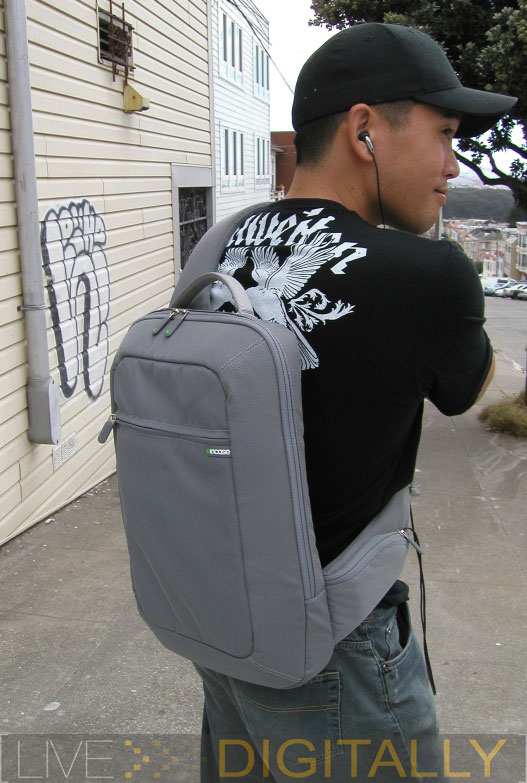
Laptop Case Review #5: incase Slingpack

I think back to the mid 90’s, when 90210 was as hot to the totts as MTV’s Laguna Beach. Teens were trendy, and high school was life. I did notice what was ‘cool’, and how far from it I appeared to be. I tried to mimic the hip by slinging my beige Jansport backpack over one shoulder, while pretending casual, calm, and comfortable.
Backpacks weren’t designed to be worn with one strap in use, and the other strap dangling in the wind. With ½ of the bag’s straps carrying 100% of the load, it is easy to calculate that the stresses on that single strap are double that which it was designed to accommodate. This in tern doubles the amount of pressure applied to your cool and hip single shoulder.
I’ve been called a ‘pansy’ once in a while throughout various events of my life. People like me [read: weaklings] don’t enjoy enduring pain, especially if we don’t have to. So we kept both straps on and covered our heads when the jocks in the school walked by.
The people at incase must have been in the same situation as us back in the uncomfortable or uncool late 90’s. Because today, they present us with the sling pack, a form fit solution to your Apple notebook transporting needs. Incase caters to Apple products exclusively for those who have their heads stuck in the PC world.
The incase slingpack came to me and said, Continue reading
Samsung Writemaster SE-W164 DVDRW
Readin’, ‘Ritin’, and ‘Rithmatic
The optical drive of choice for a computer today is clearly a DVD writer. After all, it can handle reading and writing duties for both your CD’s and DVD’s with one drive. In the end, a DVD writer can be purchased for only a few more bucks than a CD writer, making the choice a real “no brainer.”
Not all users want to open their computer up to upgrade their drive. Some desktop users may not feel comfortable opening up their computer case to swap drives. Notebook optical drives are notoriously difficult to upgrade. Power users may have a desire for a second drive to complement their existing drive. Families or offices with multiple computers may find it more cost efficient to share one DVD drive among a few computers. For any of these scenarios, an external drive is well worth considering.
In the past, I have had a less than thrilling experience with external optical drives. My first optical drive was an external CD writer. However, this was using a parallel port connection which really didn’t have nearly enough bandwidth. Let’s see how a USB 2.0 connection can really speed things up, and how this drive performs.
Samsung is an electronics company based in South Korea. They have been making optical drives for some time now. Their drives are jointly developed with Toshiba. Samsung is a member of the DVD Forum, developers of the “minus” standard. Often, even with writers that handle both “families” of discs, they’re more adept at the standard that the company originally supported. We’ll see if that hold true for the Samsung WriteMaster as well.
The Samsung WriteMaster is tested using our standardized protocol for optical drives. Nero’s CD Speed benchmarks the writing performance. The discs written will be scanned in a LiteOn 852S drive at 4x for DVD’s, and a LiteOn 52246S drive for the CD’s. They will also be tested for playback in two set top DVD players (a Sharp and a Sony). The media used is from the same batches of our other drive reviews, and scanned on the same drive, allowing a direct comparison of writing quality.
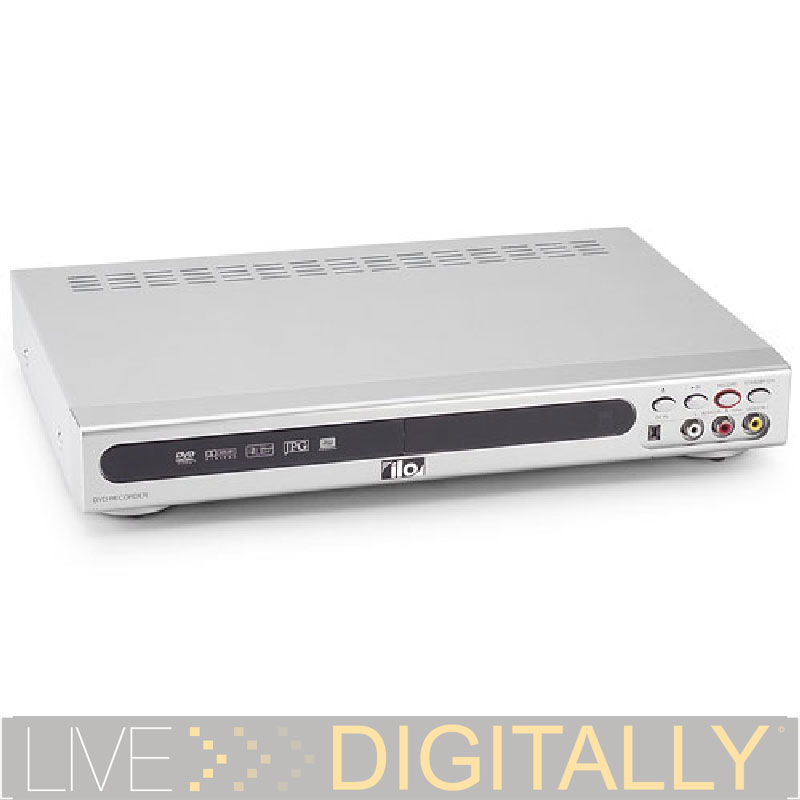
Ilo DVDR05 DVD Recorder: Inexpensive DVD Recording After Some Hassle

Introduction
My Panasonic VCR died a few months back, and I went to the store to replace it. After going up and down the aisles in more than one electronics giant, I came to the conclusion that the VCR was rapidly headed for extinction. The last remaining VCR’s were being sold for cheap in a corner. Soon the VCR will join the ranks of 8 tracks, records, and cassettes. In our new digital world, the analog VCR just doesn’t cut it anymore.
Truthfully, I liked the VCR very much. It was affordable, and the tapes were as well. Each tape could be used probably 100 times, more than I seem to get out of my rewritable optical media. My VCR was a 4 head model with HiFi stereo sound. On my 20” TV, through a stereo system, I could hardly tell that a DVD movie was any better than a prerecorded VCR tape.
But alas, while I lament my dead VCR, it was time to move on. My “wish list” for the new digital recorder included a large hard drive, fast DVD burner which is compatible with every disc, and a built in TV Guide (with no monthly fee). While such machines are coming on the market now, their caviar (over $500) price tag simply didn’t fit with my Cheeto’s ($100) budget. Also, I hesitated to spend “the big bucks” when the new HDTV standard is planned to replace our current TV signals in March 2006, and am unsure of future compatibility of all these devices. However, the new fall season of shows is imminent, with the need for time shifting, so I decided to take the digital plunge. The allure of being able to record to a disc that I could watch on a DVD player, or with the DVD drive of my computer was very strong. Continue reading
Reviewed: Pocket Prep for the SAT

I took the ETS PSAT (Pre-SAT) in 1995, then on to the real deal in 1996. My parents weren’t satisfied with the first score I got. The Princeton Review class they then signed me up for cost us $450.00. Meeting each Monday night in order to learn words like ‘perspicacious’ seemed to be their remedy to my poor verbal skills. Then I tried to give the SAT’s a good ol’ butt whipping in round two. Maybe a firm tap, needless to say, I did get into college.
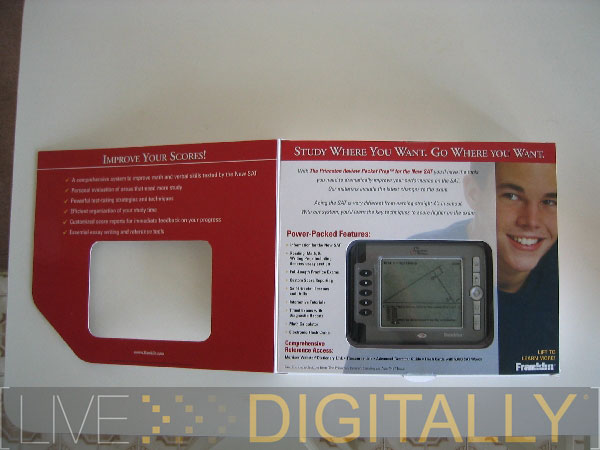
Franklin and the Princeton Review got together and solved my SAT study problem. (Time to exult.) The Pocket Prep for the SAT tries to fulfill the need to buy electronic gadgets, yet feel productive at the same time. You know kids these days, if it doesn’t have batteries, a screen, and buttons, then it can’t be cool.
The unit comes with a durable Franklin carrying case, pencil, graph paper, quick reference card (for math equations and navigation tips for the unit), and the actual handset. Batteries are included, and I assume that they’ll last quite a while, as the screen isn’t color, nor is it backlit, and there is no audio.
With buttons A-E on the left hand side (used for multiple choice questions as well as other functions) and general navigation buttons on the right hand side, the study gizmo presents a nice large black and white LCD screen. A color screen on this unit would drive cost thru the roof and suck battery juice like a baby on a bottle. Hardware wise, I was not impressed by the navigation button. An up-down-left-right-select button is your primary means to navigation, but its quality is a hapless result of price-cutting. Continue reading
Logitech Z-2300 Speaker System: Affordable High End Audio

Introduction
Our computers have increasingly become the digital media centers of our households. Many users play more audio through their computers than their stereos. DVD’s get watched through computers via their DVD drives as well. Internet radio satisfies every taste imaginable, and a few more. The latest computer games have soundtracks and sound effects to rival any Hollywood blockbuster.
The speakers included in most desktop systems are barely adequate for most sound reproduction duties. Most included speakers are quite underpowered, two speaker setups. The speakers built into most notebooks are at least a notch worse than even the most inexpensive desktop solutions. They have virtually no bass whatsoever. Even so called “media center notebooks” can’t produce anything close to room filling sound.
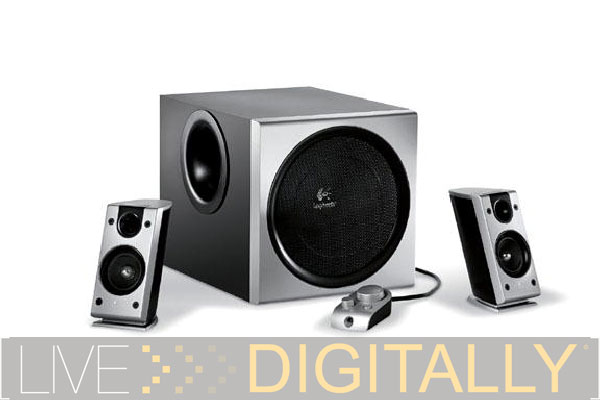
Fret not, as there are many aftermarket solutions to provide the audio worthy of the rest of your computer setup. Logitech manufactures a whole line up of speaker solutions. Today, we’ll be looking at the Logitech Z-2300 speaker system, one of their premium audio solutions.
The Z-2300 is a 2.1 speaker setup. While I’ve used 4.1 speaker systems before, I find that more speakers and more wires, leads to more tangle, exponentially. This quickly turns into a cluttered mess. Even though the rear speakers are intended to go behind you for a surround sound experience, unless you plan on taking over a room with wires, the placement can be a challenge. I think a three piece setup is preferable for many users. Let’s just refresh ourselves as to the various speaker setups:

From the chart, we can see that a 2.1 speaker setup is ideally suited for audio reproduction. As such, we’ll focus the testing on audio tasks. I’ll connect the speakers to both a notebook to test integrated audio, and our Shuttle desktop which has a dedicated chip on the motherboard. I’ll also hook them up directly to a CD player, and an MP3 player (SanDisk’s Sansa, our current best sounding, LD Approved player). I’ll listen to a variety of music of several styles, in both compressed and uncompressed (direct from CD) formats. Some DVD’s will be played as well. While speaker tests are subjective, we at Live Digitally strive to be impartial and objective, and I’ll do my utmost to uphold that. The audio will be compared in back to back tests with earbuds, other computer speakers, and a dedicated stereo system (Proton satellites, Altec-Lansing subwoofer).
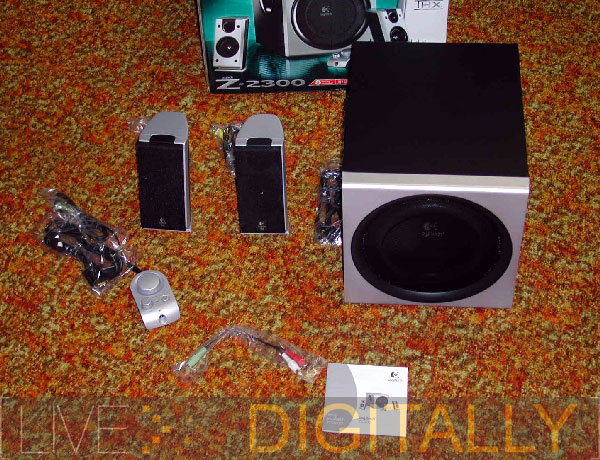
What’s In The Box
Be prepared for the UPS guy to not be thrilled with this delivery. The rather large and heavy box includes the following items.
-left and right satellite speakers
-subwoofer
-wired remote
-manual
-game adaptor Continue reading
The Essential Notebook Accessory Guide
Introduction
In order to get the most productivity on the road, it’s important to bring along your notebook and its accessories. There are miles of aisles of accessories in every electronics store and mass merchandiser, and gigabytes of gadgets at online retailers. However, even the most Herculean among us can carry only so much weight, and even the largest notebook bag has just so much space.
Of course, I always get behind the guy at the airport with the largest notebook bag at the airport. The laptop bag is larger than my checked Samsonite pilot case, and is busting at the seams. It takes him forever to clear security as they have to run it through the scanner three times and open everything up to ID everything Believe me, if there was a bomb in there, this guy would never even be able to get to it among all the other stuff. And also, he puts it above me filling up the entire overhead compartment over our heads on the Boeing 767. To him, please read this article, and figure out what you can leave home! Both myself, and his spine, will be grateful.
With the back to school season upon us, it is even more relevant to look at notebook accessories. Most college students have a notebook rather than a desktop. They tote their computers from class to dorm to library to back home- you get the idea. While these accessories would also apply to any mobile professional, it was written with maximizing productivity for college students.

This article is a mix Continue reading