• About

LIVEdigitally

Category Archives: Convergence

My gadgets should learn a thing or two

Posted on July 17, 2006 by Jeremy Toeman

I have a lot of gadgets.  MP3 players (got an iRiver Clix to check out too!), cameras (still need a new one…), convergence products, media servers, media players, etc, etc, etc.  Not a single one of them can learn a thing from me, and I don’t understand why.  Before you get too skeptical on me, let me be clear: I am not talking about “learning” as in artificial intelligence (AI), I just want them to have a few behavioral modifications.

My first example is my new Harmony 880. 
Works great, about 90% of the time or so.  Every now and then it misses a command, or in some way gets ‘off’ with the living room.  The nice thing about the product is it has a Help button which basically steps you through the sequence of remote commands necessary to perform the function you are looking for.  So, if I click “Watch Moviebeam” (this is an ‘activity’ much like a macro), the Harmony turns on the Sony receiver, Syntax LCD TV, Moviebeam and my DVD player (which is wholly unnecessary, but I can’t figure out how to remove this step), switches inputs on my Sony receiver to the correct audio input, switches inputs on my Gefen 4×1 HDMI switch, and switches inputs on the TV.  Awesome.

But when I first started, it could never get the Gefen to switch right.  So I clicked Help, and followed the on-screen ‘yes/no’ options until it worked.  Eventually I went back to the Harmony setup application on my PC and found I could ‘slow down’ the commands to make it more reliable (which did in fact work like a charm). 

I think it would be very easy for Logitech to add a bit of intelligence to the Harmony.  Maybe after doing the same thing 3 times the remote could say “please dock to your PC for an update”, at which it uploads the info to the PC, and the PC application can have enough smarts to say back to me: “there is a problem with your activity, let’s try to fix it.”  It doesn’t have to be smart enough to actually fix it independently (although that’d be nice too), but it should be smart enough to track little things like this.   Extra points to tivoboy who seems to agree.

My second example is my Garmin Nuvi 350 GPS unit.
Nuvi - FavoritesAgain, a device I absolutely love (full review still forthcoming, sorry, too busy working to pay the SF rent) and use all the time (as does my wife!).  The Nuvi is absolutely great at getting us around town and the Bay Area, helped me go camping, helps my wife find her delivery locations, we love it long time (and we certainly do not leave it in the car overnight).  I really like setting ‘favorite’ locations (pictured to the right), for work, for home, it’s quite handy.  In fact, its versatility at finding locations is quite impressive.

What I don’t understand about it is the inability to learn just a few things.  Remember, the Nuvi 350 can play MP3s, audio books, show pictures, find nearby ATMs (and more importantly, Dairy Queens) and even pump gas and check the oil pressure for you.  But no matter what I do, it refuses to remember the fact that I live in San Francisco.  Every single time I enter a city name, I have to type in “San F” and then select from a list. 

Nuvi - enter cityHow about, after the 5th time I make that choice, it simply auto-saves it, and then give me an option to ‘Change City’ next time?  It even has the concept of a “home address” and knows I live in SF (can’t call it San Fran or Frisco, they hate that here…  I don’t know who ‘they’ is, but I know I will get whacked if I use those terms).  I’ve got two more ‘freebies’ for Garmin as well:

  1. If I click ‘detour’ give me the option to keep that detour.  Maybe it’s a closed road, or just a really bad route.  Better yet, if I deviate from a route multiple times, ask me if that’s a better way to go!  The manuals state very clearly that the Nuvi will not guarantee the best way based on city shortcuts and everything.  I totally understand and appreciate how much work that must be.  But why won’t it pay attention to my driving and catch on after a while?
  2. When I turn on Nuvi, I always fall into one of two behaviors:  I either wait 10-30 seconds then click View Map (this implies I am already driving), or I almost instantly click Where To.  How about, after 20 seconds of inactivity, it automatically goes into View Map?

Now I know learning isn’t easy.  I know AI is ridiculously hard (although improving every year).  But even Windows has some basic learning features, and everybody likes to rant on how hard it is to use.  Office automatically adds contacts. Word adds, well, words. 

I think the gadget guys need to take a few cues and have their devices do so as well.

Posted in Convergence, General | 2 Comments |

I'm living in perfect Harmony!

Posted on June 28, 2006 by Jeremy Toeman

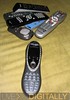
Harmony vs the pile of remotesI first saw the Logitech Harmony remote back when they were a small Canadian company, demonstrating it at a trade show a couple of years ago.  Their initial demos focused on giving EPG functionality to a LCD screen on the remote, but thankfully they made a switch into offering what I will have to call the best damn remote control on Earth.  Then Logitech bought them, and 2 years later they’ve managed to not screw it up!  Is the Harmony 880 perfect?  Nope, but it’s as close as I’ve seen.

In my mess of living room devices are the following:

  • Sony AV receiver
  • Syntax Olevia LCD TV
  • Motorola HD DVR cable box (DCT-6412 Mark III)
  • Moviebeam
  • Samsung DVD player (with HD upscaling)
  • 2 Slingboxes
  • Xbox (no 360 yet)
  • Sonos
  • Gefen 4×1 HDMI switch

Harmony vs the pile of remotesI have a lot of remotes – 6 of them to be precise.  I’ve connected the video for the Moviebeam, DVD player, and DVR to the Gefen switch, which is connected to the LCD.  All audio runs directly through the Sony receiver.  Changing inputs requires 2 remotes, and then I need the actual device remote.  As of about 2 hours ago, I only need one remote now, the Harmony 880.

The Harmony is shipped in Logitech’s signature green packaging (with a nice bubble exposure to show the actual unit), although I almost lost a finger trying to open the thing.  it comes with a docking station, a rechargable battery, a USB cable, a quick start guide, and the setup software.  After the initial charge was complete, I moved right into setup.

Harmony packagingHarmony packagingHarmony in cradleHarmony in cradleHarmony vs the pile of remotesHarmony vs the pile of remotes

Harmony vs the pile of remotesFirst step was to download and install the Harmony software (easy, but I’d rather not have had to register just to do it).  A few minutes later I followed the very intuitive step-by-step setup wizard, and within about 10 minutes everything other than the Gefen switch and Moviebeam were in my devices list.  You may be wondering why I was using my laptop to configure my remote control, but trust me when I say it’s worth it.  I’ve tried many many different programmable remotes over the years, and they are all awful (yes, especially including the horrific Pronto from Philips).  Whether its entering bizarre 4-digit codes or worse yet, pointing two remotes at each other and pushing buttons in odd sequences to ‘learn’ functions, the experience is always bad.  Enter Harmony and the PC.

Harmony vs the pile of remotesIn the PC setup wizard, you simply identify the devices you own by category: TV, DVD player, DVR, etc.  All you need to know is the make and model, they have it in their database (although I’ll explain later what happens if they don’t – but don’t worry, they do).  The software then uses USB to automatically program the appropriate infrared signals into the Harmony for you.  Done.  Game over!

Harmony GUIAnd that’s when Harmony starts getting cool.  They also have the concept of ‘activities’.  An activity is “watch TV”.  When I push the “watch TV activity” on the screen of the remote, it automatically performs a macro (a series of commands) to turn on my TV (if its off), switch it to the right input, turn on my Sony receiver, switch it to the right input, and turn on my cable box.  Automatically.  Best part is this: at the end of the macro, the remote asks you if it worked properly, and if it doesn’t, it helps you get it working right!  The on-screen instructions take you question by question to identify the problem (which can happen if you don’t leave the remote pointed in the right direction long enough, something I did a few times while getting used to it).  The screens below reflect the key steps in an activity:

Harmony GUIHarmony GUIHarmony GUIHarmony GUIHarmony GUI

Harmony vs the pile of remotesAlso nice in the system is the ability to rename devices, create channel shortcuts, and have discrete volume control (when I push volume up or mute, it affects the Sony receiver, not the Comcast cable box).  Altogether a great experience.

Harmony GUIHarmony GUIHarmony GUIHarmony GUI

With all of the glowing remarks above, I will say it’s not without it’s faults.  While I didn’t have the same problems as Steven did, I found the PC software has a lot of clunkiness to it.  When setting up the ‘activity’ to control Moviebeam, for example, I couldn’t get it to accept the concept that my Samsung DVD player doesn’t need to do anything for Moviebeam to work (I did eventually find a manual override, but it was buried deep within the user interface).  Also, integrating the Gefen 4×1 HDMI switch was much harder work than it should have been (not due to Gefen, but because Harmony doesn’t have the concept of separate audio and video switching).  Finally, the software requires a lot more confirmations and clicking ‘next’ a lot than I think is really needed – I would like to see an ‘advanced users’ version that gives you more direct control over the system (obviously this should be an optional mode, but it should be there somewhere).

There are also a few snags in the physical design of the 880.  For example, the playback controls are not distinct in shape, size, or layout, so until you learn that ‘play’ is the upper right button, you’ll never go there instinctively (but the backlight ‘glow’ effect of the remote almost makes up for this).  Also the volume and channel change buttons are a little tricky to get comfortable with.  Finally, there’s no ‘cancel’ button to exit out of the help or other interactive screens.

Harmony vs the pile of remotesBut these complaints are really just minor nuisances.  If you own 3 or more living room gadgets, grab a Harmony.  Think I’m the only one who likes it?  Check out Bombippy, Keith, and DigitalGrabber for some other reviews (nope, don’t know any of em).  Without any further hesitation, I’m declaring the Logitech Harmony 880 absolutely LD Approved!

LD Approved

Posted in Convergence, General, LD Approved, Product Reviews, Video/Music/Media | 7 Comments |

Redmond & Robots

Posted on June 22, 2006 by Guest Contributor

Okay, picture this… it’s 2016 and your Honda XT3 SE Personal Robotic Assistant (I’m officially staking claim to this futuristic term – minus the “Honda”) walks into the dining room after dinner and asks, as usual, “Is there anything else I can get for you before I clear your plate, sir?” You say “no” but the PRA continues asking, becoming increasingly belligerent. You ask, according to the manufacturer’s instructions, the standard diagnostic question – “What’s wrong?” All you get is the BFOD… the Blank Face Of Death.

Microsoft Robotics StudioIn case you haven’t caught on yet, Microsoft is getting in to the robotics business – at least the software end of it. So now my stupid joke makes sense (BSOD)! Enter Microsoft Robotics Studio, which “offers [an] end-to-end robotics development environment … for hobbyist, academic and commercial developers.” Basically it’s BOT-DOS (boy, I’m a roll – I should get kick-backs from Webster).

Trower [general manager of Microsoft’s new robotics group] says Robotics Studio is intended to help the robot industry “bootstrap itself,” the same way Microsoft’s first DOS operating system provided a standard platform that other software writers were then able to use to write a host of applications, such as spreadsheets and word-processing programs, that eventually made PCs indispensable.

Trower believes that PCs and robots are converging — and that Microsoft must invest in robotics if it wants to be a player in personal computing five to ten years from now. “Your PC is getting up off the desktop and beginning to interact in the same environment where you live in new ways, using cameras and sensors and speech technology and a variety of other advanced technologies,” he says. “This is the direction that PCs are evolving.”

Microsoft showcased this programming environment at the RoboBusiness Conference and Exposition 2006 (official press release).

“Microsoft, together with the upcoming LEGO® MINDSTORMS® NXT, will help further amplify the impact of robotics,” said Søren Lund, director of LEGO MINDSTORMS at the LEGO Group. “The MINDSTORMS robotics toolset has enjoyed a strong community of users since 1998, and the launch of our next-generation platform includes many built-in features that further the community’s ability to take MINDSTORMS programming out of the box. In combination with Microsoft Robotics Studio, PC users will have a sophisticated tool that will further extend the powerful NXT hardware and software to an even wider range of developers who wish to create advanced applications for their LEGO robots.”

We’re working to get a demo of the Lego Mindstorms NXT system so I’ll follow up with a thorough review of that product and also how well it integrates with MS Robotics Studio. Stay tuned!

Posted in Convergence, General, Product Announcements | Leave a comment |

Moviebeam update and more thoughts

Posted on June 17, 2006 by Jeremy Toeman

It’s been about 6 weeks since I first reviewed Moviebeam (add another week or so for my HD follow-up) and there are a few updates which I felt were worth sharing.

First and foremost, as Dave Zatz reported, you can pick up a unit for $49 instead of $199 by using an online coupon (enter PR49B at checkout).  If you were even borderline before, for $49 I don’t know what would stop you from picking it up.  Dave also did a video review that you can see if you are on the fence, or just want to see it in action (Ron at Techlore did a review as well).

Next, Magnolia Pictures recently announced they’d supply movies into the system (thanks HD Beat).  I’m curious to see where this goes, as I don’t think the real strength of the product is about niche programming.  Personally, I think the mainstream movies are key to building their user base right now.  And I have a little story to share as to why I think so…

My wife and I wanted to get a movie the other night, and ended up at our local, sigh, Blockbuster.  We walked around the new release section, with our autofilters to block out Martin Lawrence, Ben Stiller and Owen Wilson films (which actually only left three movies in the entire section!).  We saw movie after movie that we recall seeing ‘coming soon’ with Moviebeam, and skipped all of these, despite them being high on our want-list.  Mid-browse we decided on ‘stupid comedy’ as our category, and beelined it for JIm Carrey’s remake of Dick and Jane (lousy, and Tea Leoni needs to hang up the acting for doing husky voice-over work, she’s much better at that).  Bottom line for us was: we won’t pick something up at the store if we think/know we can just watch it with the m-beam.

I watched Aeon Flux (not as horrible as I was expecting) and Glory Road (continuing to reinforce the statement that all sports movies are good, but none are better than Hoosiers) today, the first in standard definition, and the second in HD.  I could be wrong, my contacts might be fuzzy, or it might just be to the long summer days, but the picture quality looked a lot better than before!  When I spoke with one of the execs at Moviebeam last month he mentioned that the first few HD titles they had were not the best the system can do, and after watching Glory Road, it looks promising.  It’s still not quite as remarkable as the Comcast signal, but it’s much better than the last time I looked at it!  If this keeps up, I will have to go do a real side-by-side comparison in the coming months.

Now I’m just waiting for the Ethernet port to activate so I can remove the 25-foot-long phone cable running through my hallway and hook it up to my Buffalo wireless 4-port bridge (also connected to my Xbox, Sonos, and Slingbox).  I’m also really hoping that with Internet access comes new features.  First and foremost I’d like to see community features incorporated into a Web site as well as the product.  I’d like access to some Internet-based content too (maybe Akimbo-based or even Youtube). 

I believe the future of the set-top box includes a combination of broadcast services (cable or satellite), datacasting (Moviebeam or …), and Internet access.  With this combination comes the ultimate in on-demand, personalized television.  Now sprinkle it with placeshifting and DVR services, toss in a great EPG with contextual search and a good recommendation and collaborative filtering engine, and then I’m a happy happy boy. 

Other than the fact that I still won’t be able to watch any more Arrested Development, that is…

Posted in Convergence, General, Video/Music/Media | 4 Comments |

GfG Reviews Mvix MV-5000U

Posted on May 16, 2006 by Jeremy Toeman

Mvix boxThere’s a whole lotta convergence goin on these days.  A big push (one I used to spearhead while working for Mediabolic) is getting digital media from a PC to a TV set.  I for one have a few thousand digital pictures, about 100GB of ripped music (did it myself for about 700 CDs!), and some digital videos.  Products like the MV-5000U are designed to let me playback this digital media at the TV set with a handy remote control, rather than at the PC with a keyboard.  I could go on for some length about the “10-foot” experience compared to the “2-foot” experience, or “lean-forward” versus “lean-back” activities, but I think we’ve all heard enough already.  Personally, I love my Sonos for the music around the home, but it would be nice to be able to do photo slideshows on the LCD TV.

Anyhow, the Chief Gizmateer over at Gizmos for Geeks (oh that’s what he meant by GfG) had some hands-on time with the MV-5000U.  A short excerpt of his review:

What’s Groovy: The Mvix MV-5000U has a decently high grooviness factor and as my wife mentioned several times… this is “pretty cool!”

What’s Sucky: The only part of the gizmo that was frustrating was the remote control. The navigation arrow keys were small and close together and I kept hitting the down arrow key by accident while trying to hit OK. Also, the manual was quite basic, but who uses manuals anyway?

For the rest (and it’s thorough!), read more here.

Posted in Convergence, Gadgets, Product Reviews | Leave a comment |

Girl's Gadget Report: Electronic Paper Umbrella

Posted on May 14, 2006 by Guest Contributor

Umbrella - starry nightWhat do people like the most? They like choices!

 

The new Electronic Paper Umbrella designed by Hsiao Yong-li gives you such an opportunity. Now you can change the picture on your umbrella as you are used to changing desktop image and mobile phone pics. You have only to push and choose the ambiance that fits your mood. Actually, it’s a good way to cheer up on a rainy day!
 

When the weather is awful, change it by choosing the sun theme. The effect will be even amazing if you add proper sound. Electric Paper Umbrella features a lot of replaceable pictures and sounds. You can choose forest, birds singing, water noises, or pleasant romantic melodies. Moreover, in the future you’ll be able to create your own pictures. Purchasing an item like this one you will always be in high spirits and stylish.
 

Umbrella controlsTo fulfill his idea the designer used electronic paper. He also installed a computer chip into the umbrella stem. In fact, we are not much interested into its detailed working mechanism. The thing we understood is that it’s connected with electricity and often gets wet. We hope that it’s absolutely safe and nobody will be harmed when using it in rainy day.  Walking with this item you’ll for sure attract everybody’s attention.

 

It should be especially romantic to use this together with your girl or boyfriend. At the same time the umbrella is a good and creative present for any person. As for me, I’d willingly experience this. Living in a big town I lack the nature. In fact, I’m always stressed.  Maybe this device will spare me low spirits!

Umbrella - sunny

The Weekly Girl’s Gadget Report is brought to you by http://www.gadget4girls.com/

Posted in Convergence, General | Leave a comment |

Moviebeam HD: the second chapter

Posted on May 5, 2006 by Jeremy Toeman

MoviebeamAs I wrote about last week, Moviebeam is a consumer electronics device that gives you a whole movie rental store in your living room.  For details on how the system and service work, please take a moment to re-read my original review.  Late last week I received the Moviebeam HD Cable Kit, which has opened up a whole new experience with the product.

One important note: while many of you may use component video cables to connect your DVD player or digital cable/satellite box to your HDTV set, it’s important to know that you are only getting part of the HD picture!  Component video, while better than composite and s-video, is still analog, and does not carry a perfect digital signal all the way to your set.  Furthermore, component video does not include any digital copy protection technologies, so if a manufacturer or content provider wants to offer protected-onComponent videoly content, they must use a secure technology, which IS provided through digital cable connections such as HDMI and DVI.  Most important for you: if you HAVE the option to switch from component to either HDMI or DVI cabling, go to the store and get the right cables immediately!  To quote a true genius, “you ain’t seen nuthin’ yet!”

Continue reading →

Posted in Convergence, General, Product Reviews, Video/Music/Media | 6 Comments |

Moviebeam: A great on-demand experience, for a price

Posted on April 27, 2006 by Jeremy Toeman

Introduction

PackagingPer the company’s description, “Moviebeam is a brilliant new way to rent and watch movies at home. Get movies delivered directly to your TV — no cable, satellite, or computer is required.”  To me, Moviebeam is either the lazy man’s answer to Blockbuster, or, more likely, an early glimpse into the future of our soon-to-arrive “entertainment, anywhere, anytime, on-demand” lifestyle. 

Today, Moviebeam’s offering is, in a nutshell, a $250 $199 set-top box that delivers up to 10 movies per week (it comes with 100 or so available to start!), available in an instantaneous on-demand offering at prices ranging from $1.99 to $3.99 per movie.  All movies are available at either DVD or HDTV quality, and the box does not interfere with any other TV or Internet offerings in your household.

After some hands-on use, I have to say, the product is quite fun to use, and a welcome addition to my home.  Especially if you ask my wife!

This is the first of two separate reviews I plan to do for the Moviebeam product.  This one covers using the device in standard-definition mode only.  The box includes HD movies and features, but I will reserve them for a second review.

Continue reading →

Posted in Convergence, General, Product Reviews, Video/Music/Media | 10 Comments |

EHX Fall 2004: Pelham Sloane

Posted on October 30, 2004 by Jeremy Toeman

Pelham Sloane is a UK-based company that sells a series of “all-in-one PCs” where the only visible element of the computer is the LCD screen, with an optional keyboard. The LCD features a touch-screen interface, which really does change the way you interact with a PC.Our primary reason for mentioning this unit is to reinforce the message that the face of computing is changing, as PCs are being used for more and more purposes in the home. One of the Pelham Sloane PCs features a HDTV tuner card with PVR capabilities. The other is positioned as a kitchen device.

If you are interested in a slim-profile PC, or the touchscreen appeals to you, go take a look at what this innovative company is up to. If not, keep your eyes open for more and more creative interpretations of how you expect to see computers in your home in the future.

Pictures of the products (click on the image for a full-screen view):
Company booth

Kitchen unit:

HDTV unit:

Posted in Convergence, General | Leave a comment |
« Previous Page

About

Jeremy Toeman is a seasoned Product leader with over 20 years experience in the convergence of digital media, mobile entertainment, social entertainment, smart TV and consumer technology. Prior ventures and projects include CNET, Viggle/Dijit/Nextguide, Sling Media, VUDU, Clicker, DivX, Rovi, Mediabolic, Boxee, and many other consumer technology companies. This blog represents his personal opinion and outlook on things.

Recent Posts

  • Back on the wagon/horse?
  • 11 Tips for Startups Pitching Big Companies
  • CES 2016: A New Role
  • Everything I Learned (So Far) Working For a Huge Company
  • And I’m Back…

Archives

Pages

  • About

Archives

  • January 2019
  • April 2016
  • January 2016
  • December 2015
  • June 2015
  • May 2015
  • April 2015
  • March 2015
  • February 2015
  • January 2015
  • December 2014
  • November 2014
  • October 2014
  • September 2014
  • August 2014
  • June 2014
  • May 2014
  • April 2014
  • March 2014
  • January 2014
  • December 2013
  • September 2013
  • August 2013
  • July 2013
  • May 2013
  • February 2013
  • January 2013
  • December 2012
  • October 2012
  • September 2012
  • August 2012
  • May 2012
  • April 2012
  • March 2012
  • February 2012
  • January 2012
  • December 2011
  • November 2011
  • October 2011
  • September 2011
  • August 2011
  • June 2011
  • March 2011
  • February 2011
  • January 2011
  • December 2010
  • November 2010
  • October 2010
  • September 2010
  • August 2010
  • July 2010
  • June 2010
  • May 2010
  • April 2010
  • March 2010
  • February 2010
  • January 2010
  • December 2009
  • October 2009
  • September 2009
  • August 2009
  • July 2009
  • June 2009
  • May 2009
  • April 2009
  • March 2009
  • February 2009
  • January 2009
  • December 2008
  • November 2008
  • October 2008
  • September 2008
  • August 2008
  • July 2008
  • June 2008
  • May 2008
  • April 2008
  • March 2008
  • February 2008
  • January 2008
  • December 2007
  • November 2007
  • October 2007
  • September 2007
  • August 2007
  • July 2007
  • June 2007
  • May 2007
  • April 2007
  • March 2007
  • February 2007
  • January 2007
  • December 2006
  • November 2006
  • October 2006
  • September 2006
  • August 2006
  • July 2006
  • June 2006
  • May 2006
  • April 2006
  • March 2006
  • February 2006
  • January 2006
  • December 2005
  • November 2005
  • October 2005
  • September 2005
  • August 2005
  • July 2005
  • June 2005
  • May 2005
  • April 2005
  • March 2005
  • February 2005
  • January 2005
  • December 2004
  • November 2004
  • October 2004
  • September 2004

Categories

  • Convergence (81)
  • Gadgets (144)
  • Gaming (19)
  • General (999)
  • Guides (35)
  • LD Approved (72)
  • Marketing (23)
  • Mobile Technology (111)
  • Networking (22)
  • No/Low-tech (64)
  • Product Announcements (85)
  • Product Reviews (109)
  • That's Janky (93)
  • Travel (29)
  • Video/Music/Media (115)
  • Web/Internet (103)

WordPress

  • Log in
  • WordPress

CyberChimps WordPress Themes

© LIVEdigitally